Create Transparent Powerpoint Animations for your Videos
Online course · Sold on Udemy
Create Transparent Powerpoint Animations for your Videos is an online course sold by Udemy. It costs $99.99. Refund policy: 30-day refund on eligible courses.
$99.99
Digibento may earn a commission at no extra cost to you.
About this
From Udemy
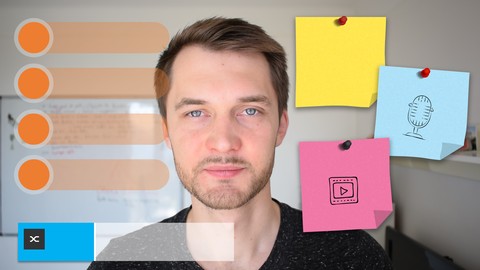
Use this course as a tool kit to improve the quality of your talking head videos by adding transparent infographics and "lower thirds". You will create these graphics using Powerpoint and make them transparent using Adobe Premiere. Some other video editors can also create the transparency effect, but the same good result as with Adobe Premiere is NOT guaranteed. So if you don't have Adobe Premiere, do make sure that your video editing software can create the transparency effect (check the list at the bottom).
- Store
- Udemy
- Type
- Online course
- Category
- Online courses
- Refund
- 30-day refund on eligible courses
Questions and answers
- What does Create Transparent Powerpoint Animations for your Videos work on?
- It works on the web.
- Can I get a refund on Create Transparent Powerpoint Animations for your Videos?
- Udemy says: 30-day refund on eligible courses.
You may also like
More in Online courses
- Make Your PowerPoint Come A.L.I.V.E With 2D Animation · Udemy · $64.99
- Create Animated infographics and Video in PowerPoint · Udemy · $89.99
- PowerPoint Kinetic Typography Microsoft PowerPoint animation · Udemy · $94.99
- Create Easy Animation Videos · Udemy · $94.99
- Essential PowerPoint Course From Basic to Advanced · Udemy · $24.99
- Adobe after effects: learn motion graphics animations · Udemy · $19.99
- PowerPoint Masterclass - Presentation Design & Animation · Udemy · $199.99
- Advanced Video Editing transitions and titles with filmora · Udemy · $199.99
- Create Amazing Animations & Motion Graphics in After Effects · Udemy · $49.99
- How to Create a Cinematic Map Animation · Udemy · $49.99
- PowerPoint Design for Business Presentations: Full Edition · Udemy · $39.99
Similar for less
- Learn Adobe Premiere Pro FAST : The Ultimate Guide · Udemy · $19.99
- Blender 3D: Create Easy Environment · Udemy · $19.99